05:00The plan is in
The day is planned before you're awake.
Your manager wakes up. While they slept, Toto planned the day.
Built from what landed overnight, who's on shift and how fast they really pick, and sent as a text. One tap, and the building is moving before they get there.
- Marcus Webb: 10 tasks, 168 units — about 2.0h at 85 u/h
- Maria Gomez: 3 tasks, 134 units — about 1.5h at 92 u/h
- Alex Kim: 1 task, 50 units — about 0.8h at 60 u/h
- and 5 more
It isn't a dashboard.
It's a day.
Toto doesn't just tell you what already happened. Toto runs your operation: receiving, putaway, picking, packing, shipping, returns, lots and serial numbers, carrier labels, B2B paperwork, FBA prep, data in and out. Toto prompts, you answer, Toto acts.
Suddenly your management time isn't spent formulating plans and chasing problems. Instead of pages of configuration and spreadsheets to analyze, Toto delivers.
A day on Toto
Follow one Monday through the building.
-
 05:00
05:00The plan arrives as a text.
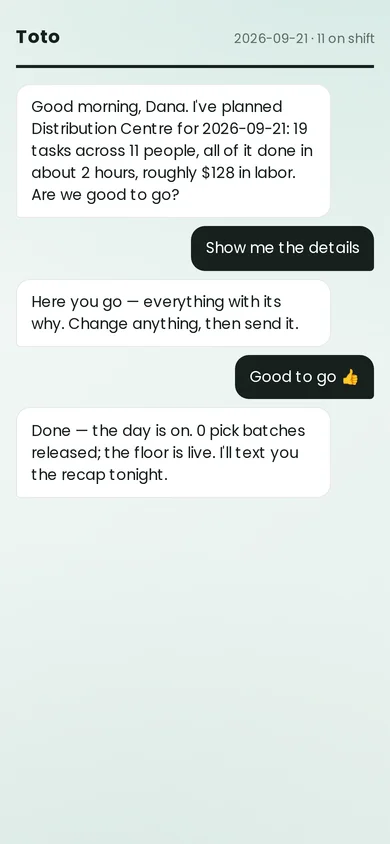
Not a dashboard to open. A message: 19 tasks, 11 people, about two hours, roughly $128 in labor. Reply yes, details or no. Details shows every assignment with its reason, down to “balanced by pace: Maria Gomez at 92 u/h”. A manager who disagrees moves a task, not a spreadsheet.
-
 05:02
05:02One tap starts the building.
Accepting commits every assignment and releases the work that was held for a human, in one transaction. Say nothing and it still starts: fifteen minutes before the shift, an unanswered plan runs as proposed. Only a no holds the floor.
-
 06:30
06:30Each person sees one job.
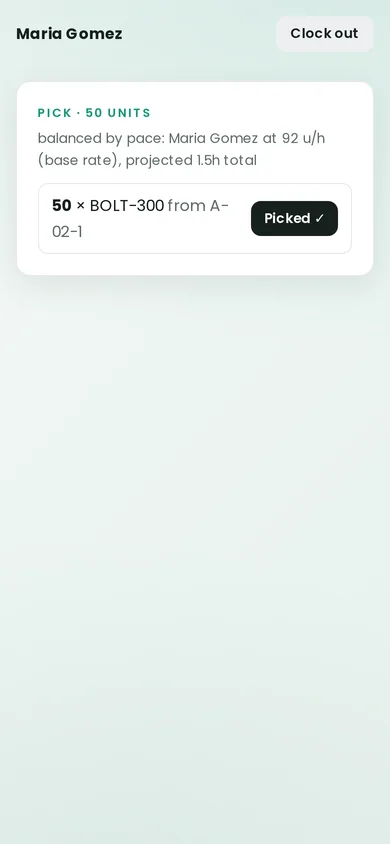
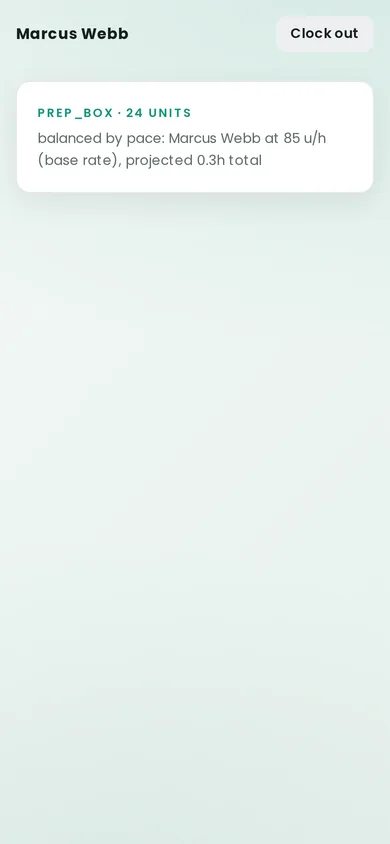
Pin in. The next task is the whole screen: what, how many, from where, and why it came to you. No menus, no list to scroll, nothing to choose between. When it's done, the next one.
-
 07:15
07:15The office sees the plan it approved.
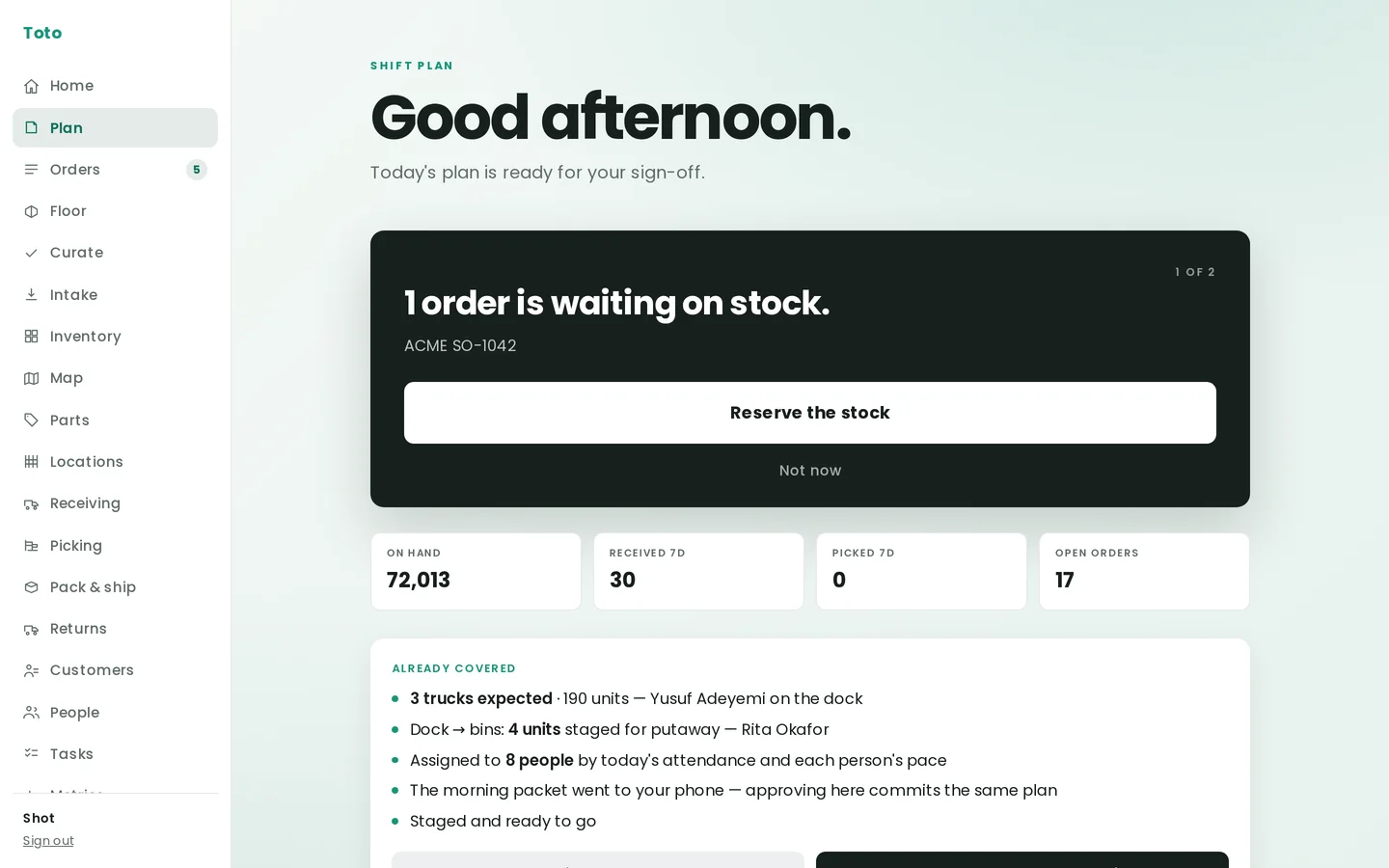
The same plan, in the console: what's already covered, who's on the dock, and the decisions still open. A card asks one question at a time, and the button says exactly what it will do.
-
 09:40
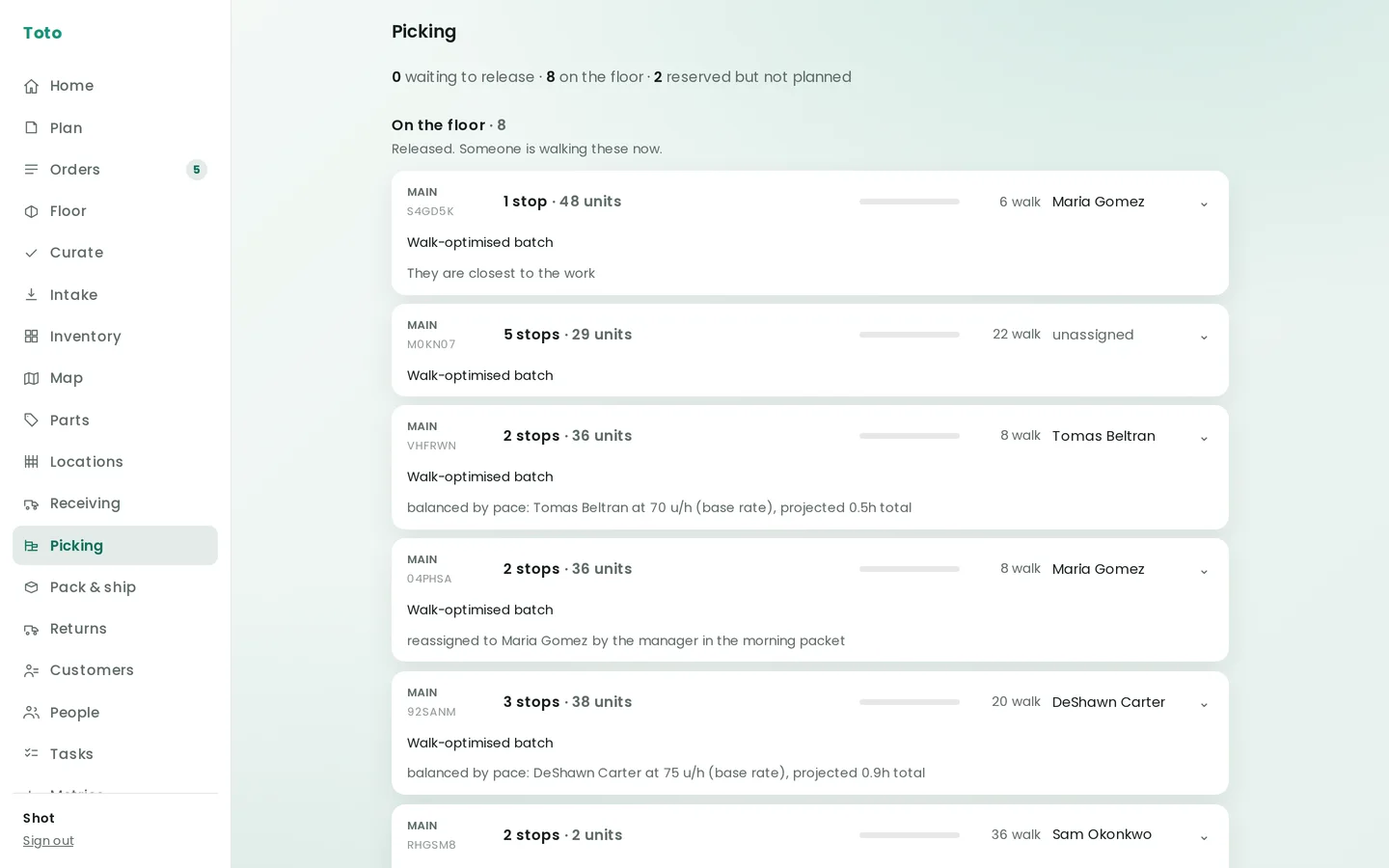
09:40Picking, with the reasons showing.
Batches are built for the walk, then balanced by each person's real pace, and every batch says why it went to who it did. “Reassigned to Maria Gomez by the manager in the morning packet” stays on the record.
-
 11:20
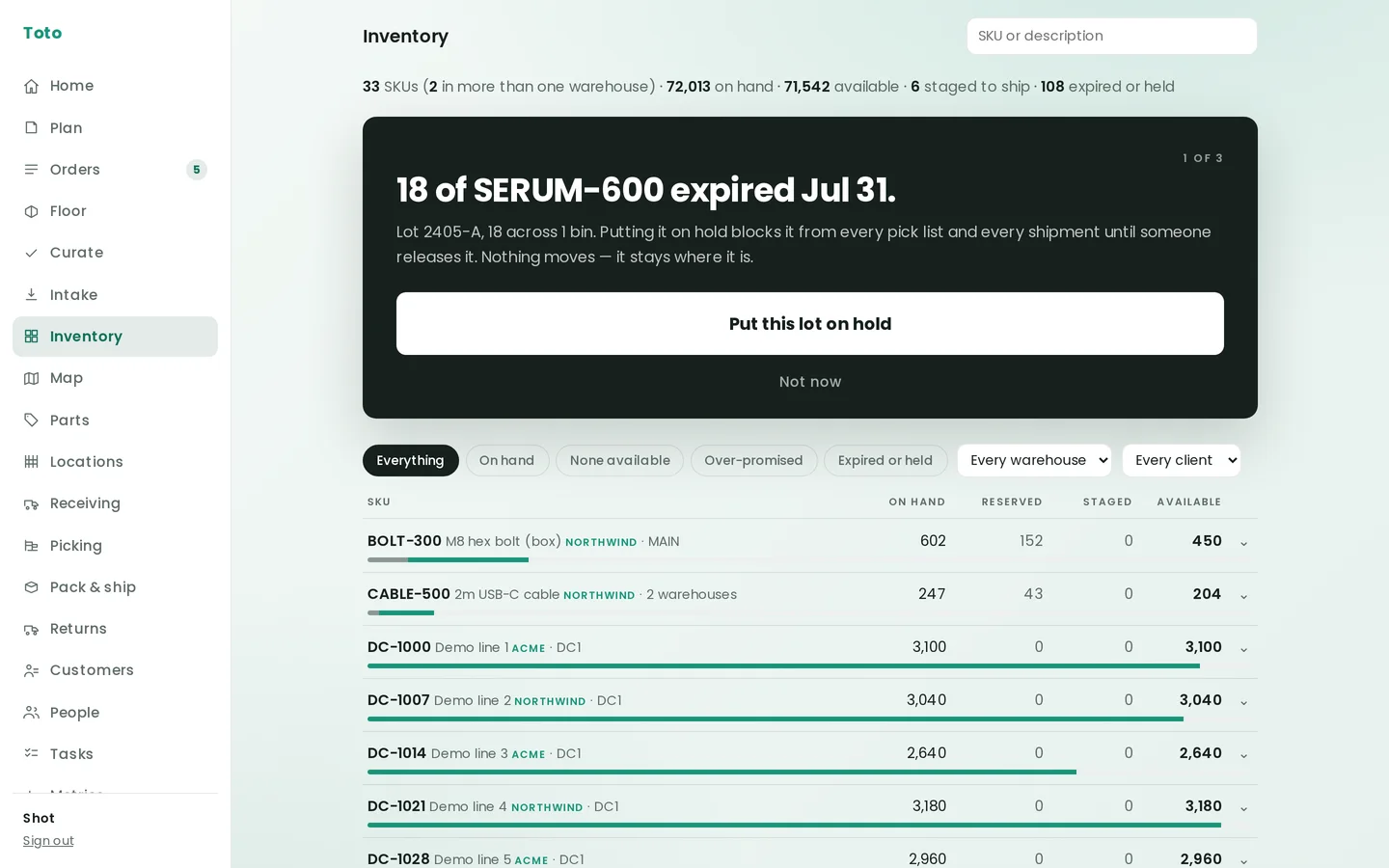
11:20On hand and available are different numbers.
Toto never confuses them. Reserved, staged and held stock are shown, not folded into a total. When a lot expires, the card says what holding it does: “blocks it from every pick list and every shipment until someone releases it. Nothing moves.”
-
 13:00
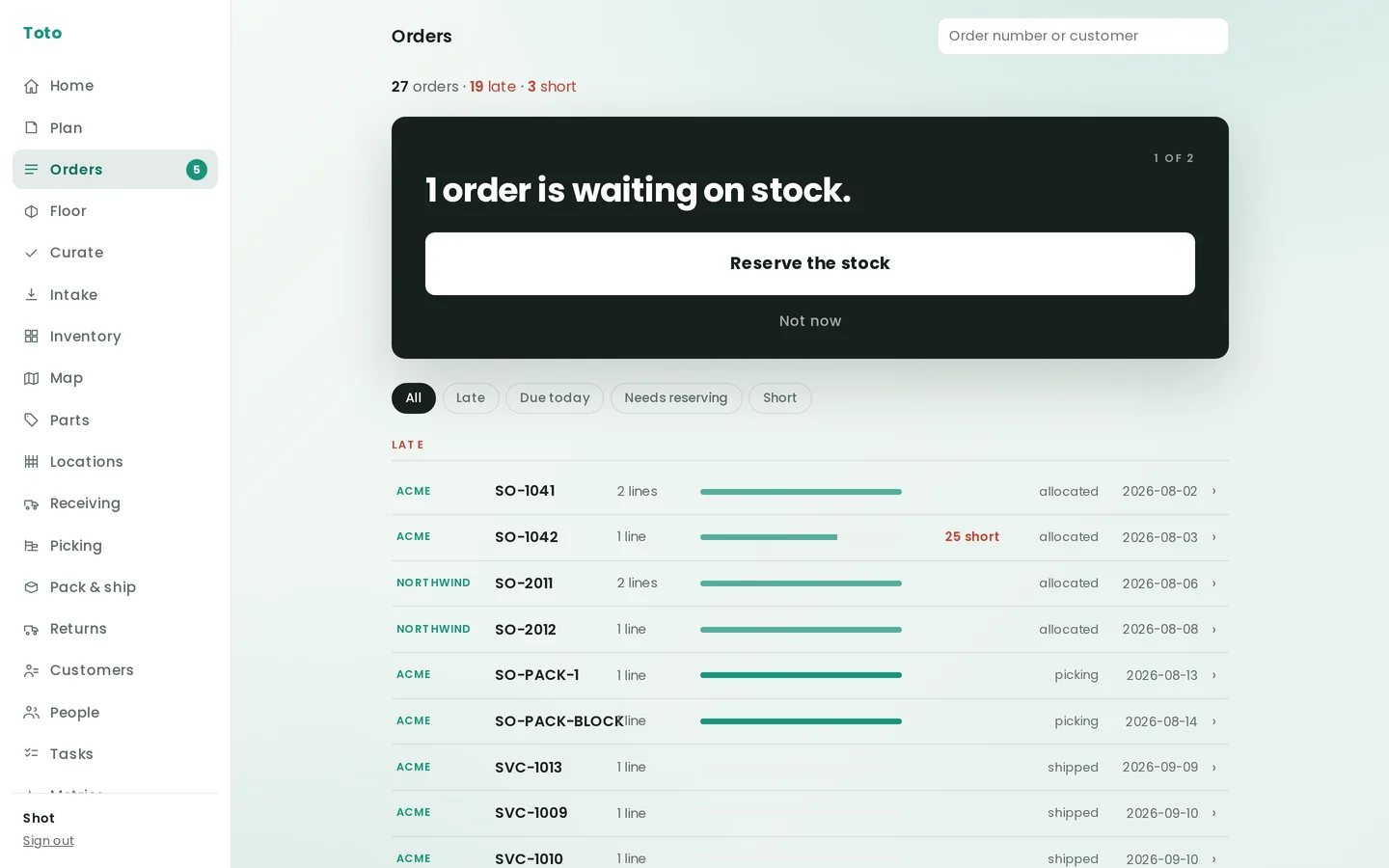
13:00Orders, in the order they matter.
Late first, shorts flagged, one decision at the top. Orders arrive from Shopify, a CSV, the API or by hand, and all four doors land in the same place, so the queue is the queue.
-
 15:30
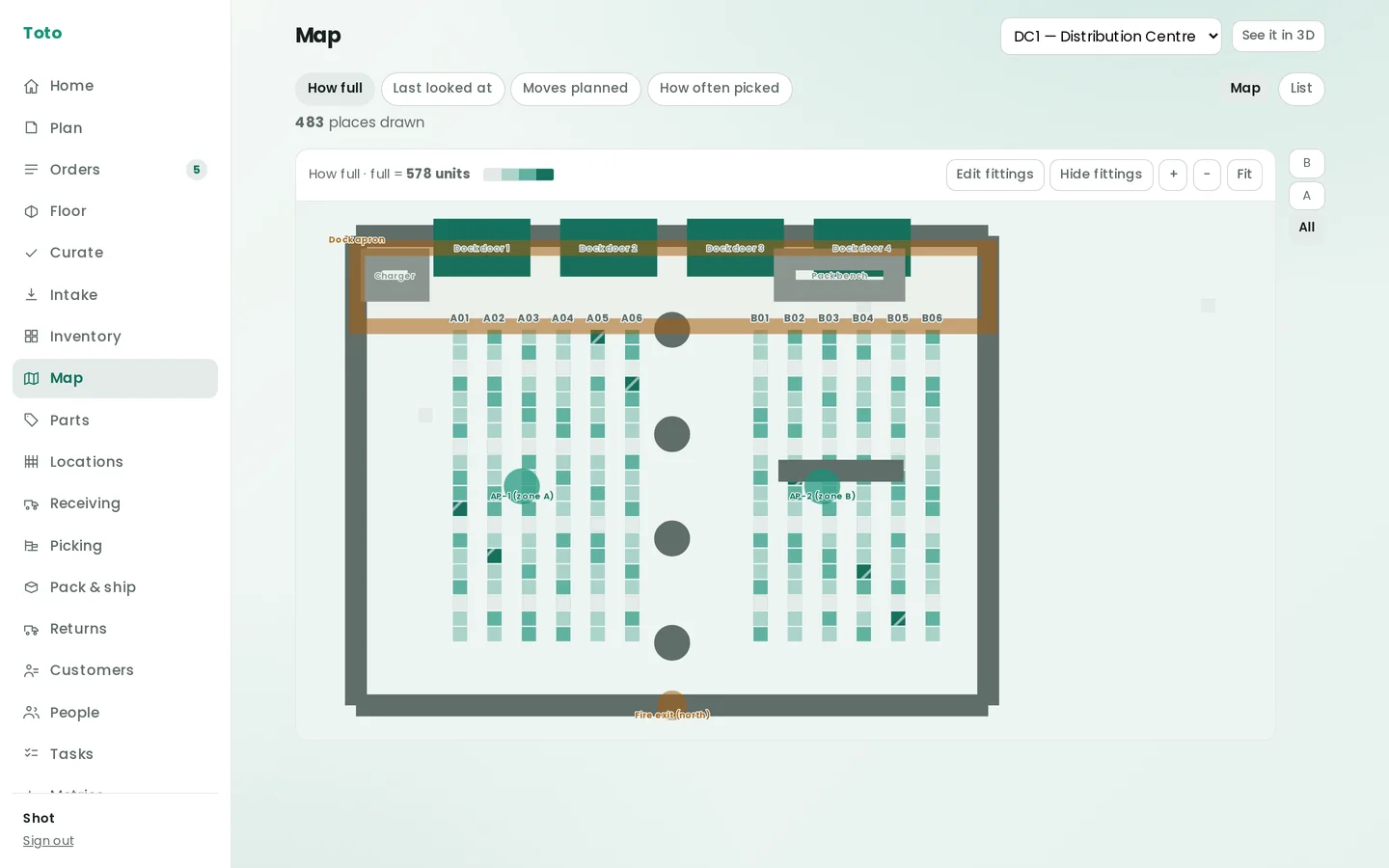
15:30The building, as a building.
How full each bin is, when it was last counted, what's about to move, drawn on the floor plan. Flat, or in three dimensions. It's the same ledger, drawn.
-
 17:45
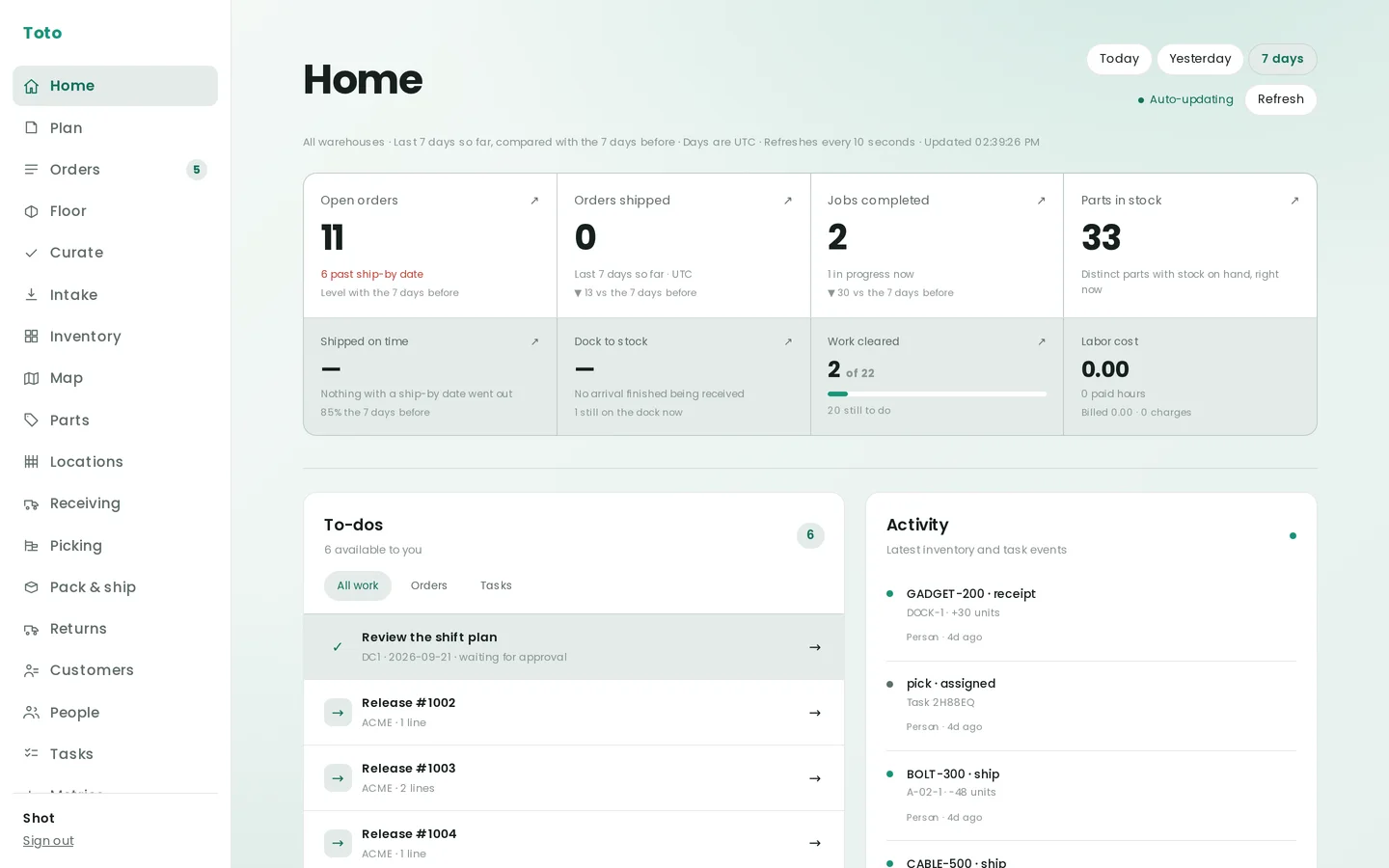
17:45Home, at the end of the day.
Shipped on time. Dock to stock. Work cleared. Labor cost against what was billed. Today, yesterday, or the last seven days. The numbers first, then the work.
The card
A checkout for decisions.
Every screen that needs a human puts one card at the top. Dark, one question, one button. The button names the exact count it acts on, so nothing implies “everything” while doing page one.
Not now hides the situation for the day. When the facts change, it comes back. You can defer a situation. You can't bury work.
Try it. These three are from the demo warehouse.
1 order is waiting on stock.
ACME SO-1042
72,013 on hand.
71,542 available.
The two most important numbers in a warehouse, and the whole point is that they differ. Toto shows what's reserved for an order, what's staged at the pack bench and what's on hold, and never calls any of it available.
- Reserved for an order 357
- Expired or held 108
- Staged at the pack bench 6
The floor
One task at a time. No menus.
- Pin in.
- The next task is the whole screen. A rugged Android handheld or a phone from the drawer, the same one card.
- Scan to confirm.
- Wrong bin, wrong part, wrong count: it says so before anything is written. Serial numbers are read, not typed.
- Offline is normal.
- Picks, receipts, putaways, moves and counts queue on the device and land when the signal does. Labels and rates wait for a connection; nothing else does.
- Every scan says who.
- Pace is measured from the ledger, not a stopwatch, and it's what tomorrow's plan is built on.
The ledger
Nothing is overwritten. Ever.
Every movement is a line: what, how many, from where to where, who, when. Corrections are new lines, so the history is always the whole history. Stock on hand, availability, every number on every screen is computed from these lines, never typed in.
| when | what | part | where | qty | who |
|---|---|---|---|---|---|
| 05:01:48 | plan accepted | 19 tasks | Distribution Centre | 11 people | Dana Reyes |
| 07:22:11 | receipt | GADGET-200 | DOCK-1 | +30 | Yusuf Adeyemi |
| 07:39:47 | putaway | GADGET-200 | DOCK-1 → B-04-3 | 30 | Rita Okafor |
| 09:41:05 | pick | BOLT-300 | A-02-1 → PACK-1 | 48 | Maria Gomez |
| 09:58:30 | pack | BOLT-300 | PACK-1 → carton 01M3… | 48 | Marcus Webb |
| 10:12:02 | ship | BOLT-300 | carton → UPS | −48 | Marcus Webb |
| 11:20:19 | hold | SERUM-600 · lot 2405-A | C-01-2 | 18 | Dana Reyes |
| 14:06:55 | count | CABLE-500 | B-02-4 | 247 = 247 | Alex Kim |
- Lots · serials · expiryLot codes, serial numbers and expiry dates travel with each unit from the dock to the customer, first-expiring-first-out.
- One record, every documentCarrier labels, bills of lading, packing lists and FBA box registration come off the same shipment record.
- Isolated at the databaseEach client's rows are separated by the database itself, not by the application remembering to filter.
19:30The recap
The evening comes as a text too.
Plan against actual, from the same ledger that ran the day. Who did what, at what pace, and what to change tomorrow. Every correction a manager makes teaches the next plan.
• Marcus Webb: 10/10 tasks done
• Maria Gomez: 3/3 tasks done
• Alex Kim: 1/1 tasks done
• DeShawn Carter: 1/1 tasks done
• Rita Okafor: 1/1 tasks done
• Tomas Beltran: 1/1 tasks done
• Yusuf Adeyemi: 1/1 tasks done
• Sam Okonkwo: 1/1 tasks done
The product's own recap format. This one is composed for the day above.
Then at five, it starts again.
All dayCommand center
Put it on the wall.
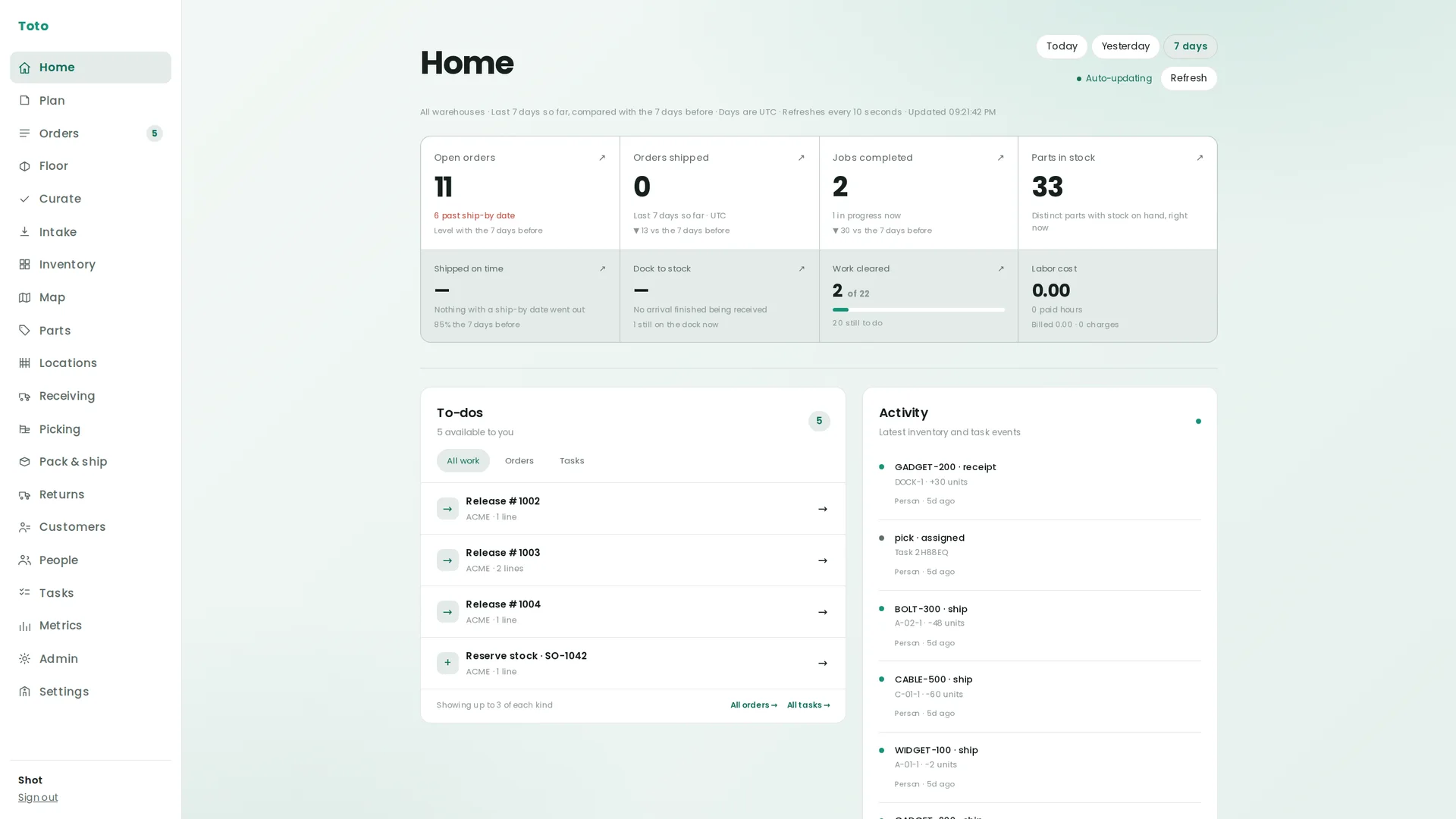
The command center tells you what's happening: orders open and shipped, work cleared, dock to stock, labor against what was billed, refreshed every ten seconds. On a big monitor by the dock door, or a TV on a stand between the pack benches.
Where you can improve, Toto offers suggestions, with the evidence attached. And when a number starts to slip, Toto acts before a small blip becomes a major cost problem.
Auto-updating · every 10 seconds
See it run on your floor.
Forty minutes with the real product, not slides. Bring the questions your current system can't answer.